
BBO Sign-Up and other Helpful Tips
How to Join BBO
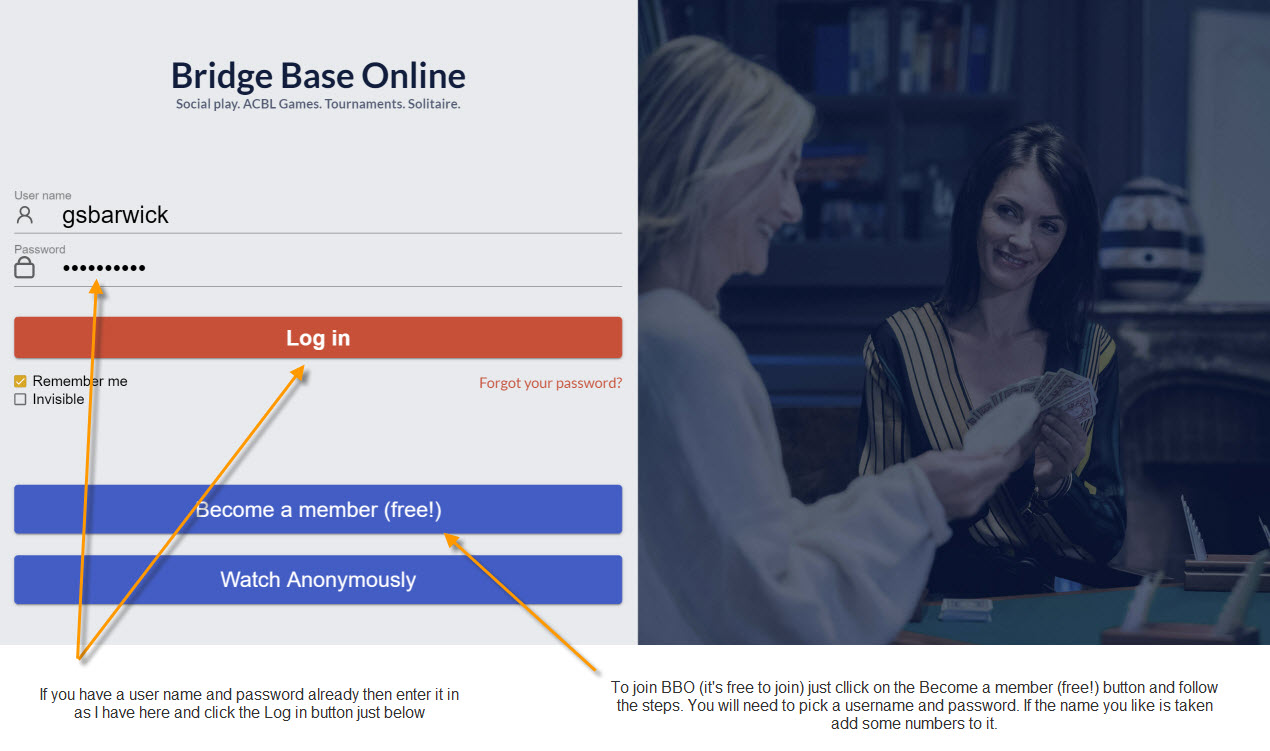
Click on this BBO Link to take you to the login page below.
How to Alert Your Calls
When playing BBO any call you make that required your partner to alert it must now be self-alerted as you bid it. Your partner will not see the call is alerted or what it means as they are expected to know anyway. Your opponents will be able to read any alerted calls from your side and you and your partner will be able to see calls alerted from the opposition. This is a bit awkward at first but you will get the hang of it I am sure. A few screen shots have been included that hopefully explain this process more visually.
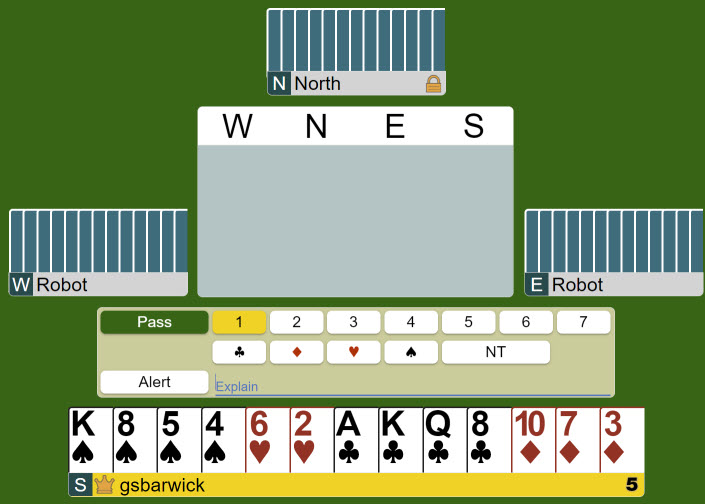
One difference BBO has to club bridge is that you must self-alert your own bids. Your partner will not see that you have alerted a bid but you opponents will and they will see your description. If your bid is alertable then before you set the contract write the description where it says "explain" and click the alert button then set enter your bid. In this case I would open 1C so I would click the alert button then write the explanation "3+" and then enter 1C as the opening bid.
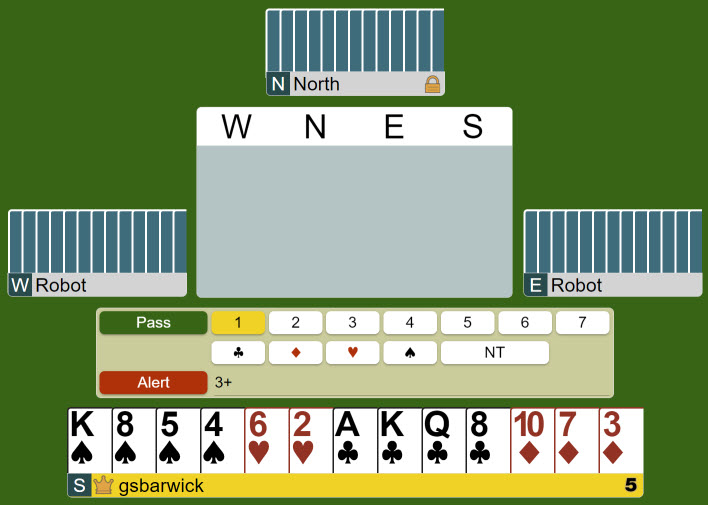
Once you have entered your description and clicked the Alert button (it turns red) then enter your bid (or pass) and it will be alerted with the description
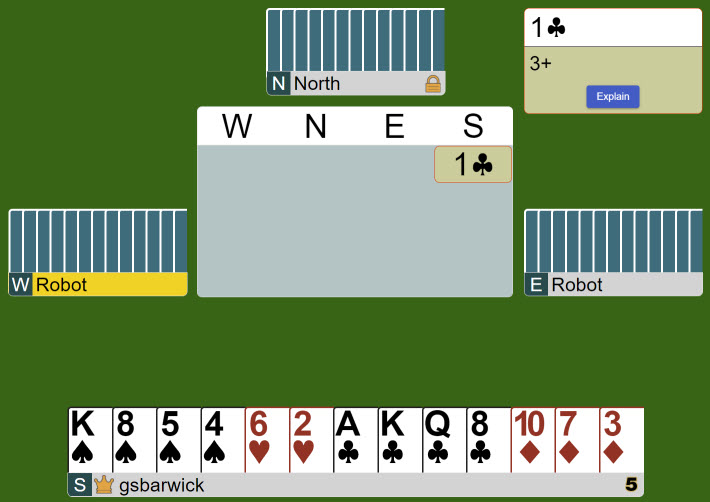
You can see an outline around the 1C in the bidding area. Your partner will not see it however as you can see its wests bid next and they see the alert for my opening bid. Any alert you can see in the bidding you can click on to see the explanation at any time.
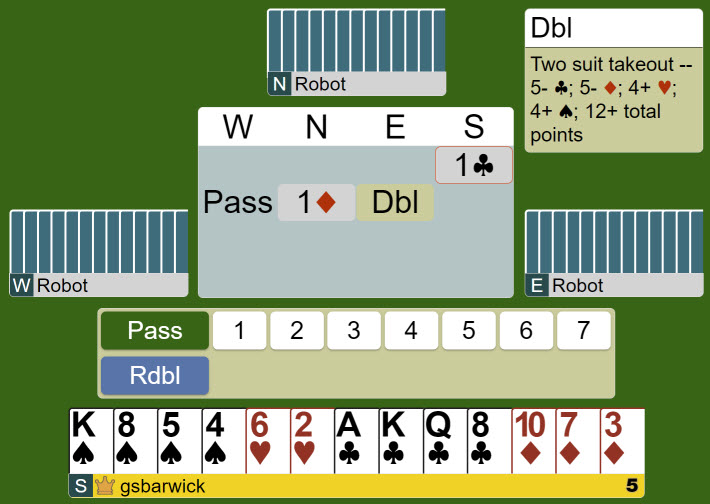
We can see that East has bid and made a takeout double. You should be brief but informative with your descriptions. So for a 1NT opening just write '15-17' or '15-18' etc. For takeout double a simple 'Takeout' should be enough.